

The Tenant Workspace
This page is for a tenant — a business using the CRM it signed up for.
Once you've registered, you have a complete Krayin CRM of your own. This page is a quick tour of what's inside and how it's yours alone.
What you'll learn
- Where to sign in and what you'll see
- What's in your workspace
- How your data stays private to you
Signing in
Your CRM lives at your own address — yourusername.yourplatform.com — and you sign in at /admin/login there with the email and password you registered with.
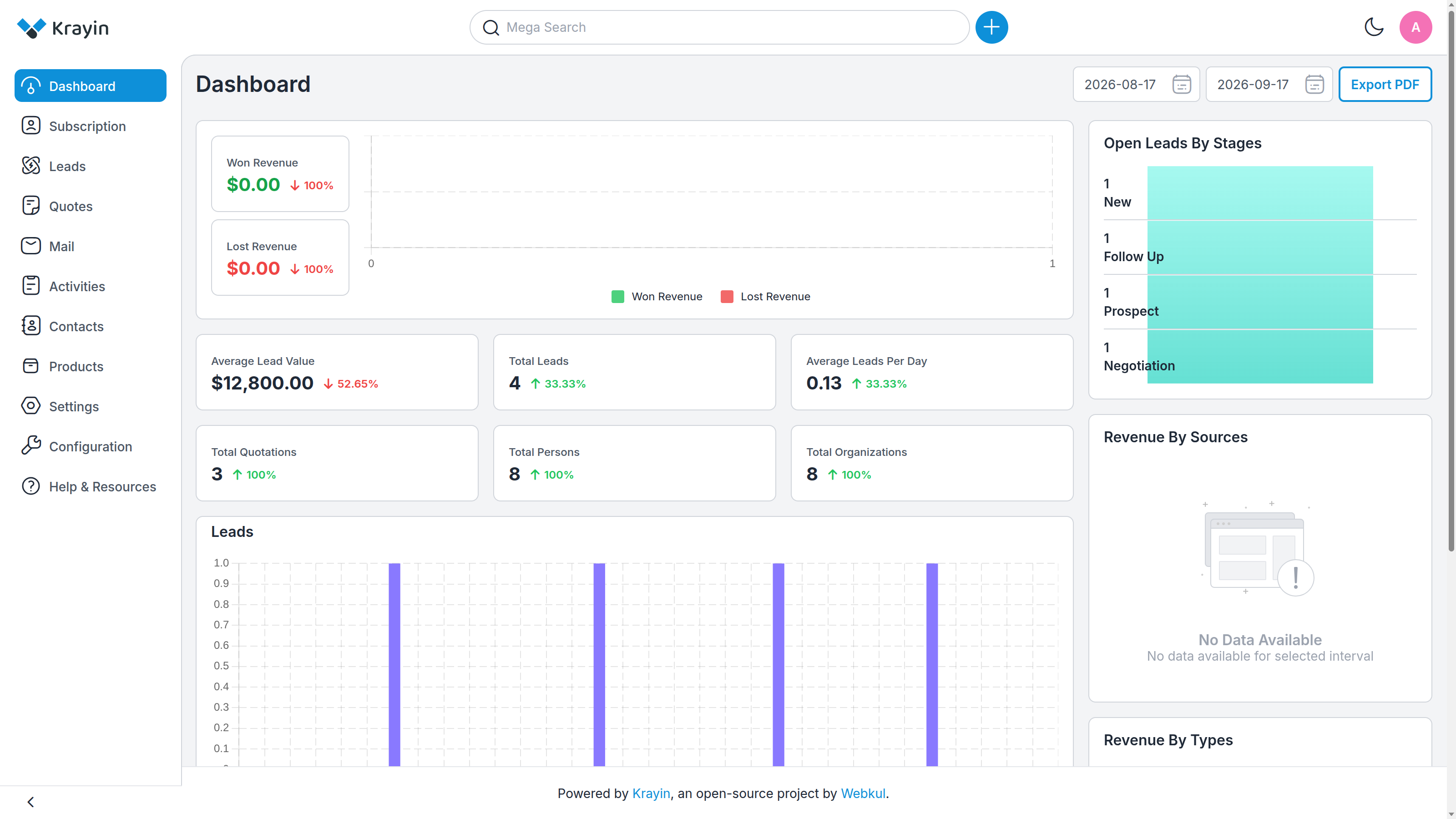
The dashboard greets you with the numbers that matter — lead value, total leads, quotations, contacts and organizations, your open leads by stage, and revenue charts — all drawn from your data.
What's inside
Your workspace is a full CRM. From the sidebar you can reach:
- Leads — your sales opportunities, moving through pipeline stages.
- Quotes — quotations you send to your contacts.
- Contacts and Organizations — the people and companies you work with.
- Mail, Activities and Products — the tools around your day-to-day selling.
- Settings — your own users, roles, pipelines and preferences.
- Subscription — your plan and invoices (see Billing & Invoices).
It's an ordinary Krayin CRM — everything Krayin does, you have.
It's entirely yours
Everything in your workspace belongs to you and only you. You can't see another business's leads or contacts, and no other tenant can see yours — the platform keeps every tenant's data completely separate. You manage your own team, your own pipelines and your own settings, independently of everyone else on the platform.
TIP
Your subscription decides your limits — how many team members, leads or contacts you can create. When you approach a limit, you'll be prompted to upgrade. See Choosing a Plan.
Where to go next
- Manage your plan and download invoices → Billing & Invoices
- Move to a bigger plan when you outgrow yours → Choosing a Plan
- Put your CRM on your own domain → Custom Domains