

Free Trials
A free trial lets a new tenant use their CRM for a set number of days before paying. This page is for the operator: how to turn trials on, how long they last, and what a trial does that a paid plan doesn't.
What you'll learn
- The two things a working trial needs
- How to set the trial length
- What happens when a tenant starts a trial, and when it ends
What a trial is
A trial is an ordinary plan with one switch flipped: Trial Plan is turned on. That one change makes the plan granted rather than bought — it has no price, never touches your payment gateway, and runs for a fixed number of days.
The trial plan still carries real restrictions and permissions, so a tenant on a trial gets a genuine, if time-limited, version of the product — not a crippled demo.
Turning trials on
Two things must both be true before any tenant can start a trial:
- An active plan is marked as the trial plan. Create a plan, turn on its Trial Plan switch, and publish it. Only one trial is offered at a time — if you mark several, the earliest active one is used.
- Trials are enabled in configuration.
Open Configuration → Subscription and find the Free Trial group.
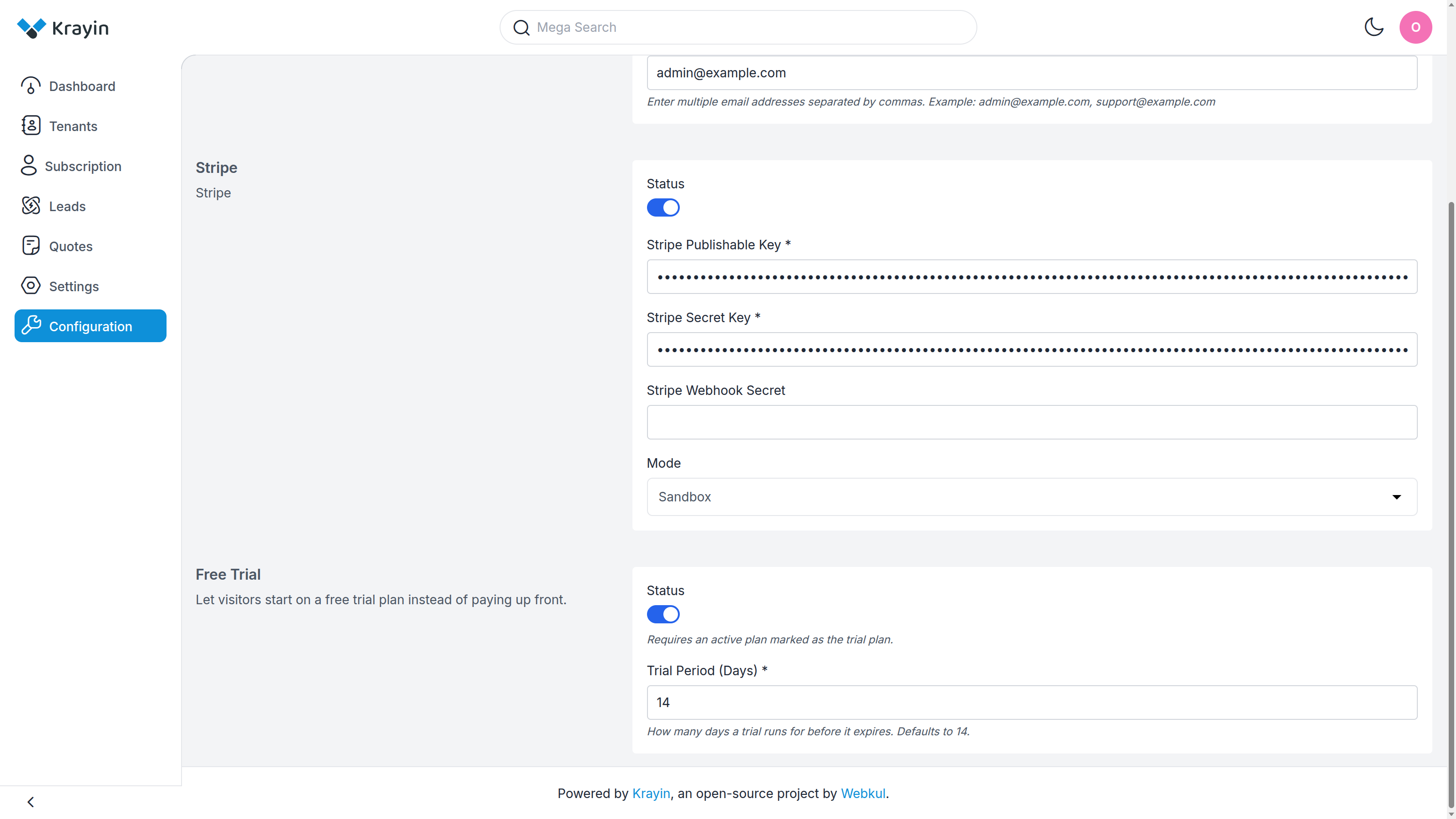
- Status — turn on to offer trials. As the hint says, this "requires an active plan marked as the trial plan" — the switch does nothing on its own.
- Trial Period (Days) — how many days a trial runs before it expires. Required when Status is on; accepts 1 to 365, and defaults to 14 if left unset.
Save the group. From now on, eligible visitors are offered the trial.
TIP
The length is set here, once, for all trials — it isn't per plan. Change it and every new trial from that point uses the new number; trials already running keep their original end date.
What the tenant experiences
When a visitor chooses the trial, Krayin shows a short confirmation screen — the plan and the number of days — and, on confirmation, grants it. No card is asked for and nothing is charged.
The tenant's CRM is activated immediately and they're taken straight into it. There is no invoice, because there was no payment — a trial never appears on the Invoices or Subscribers lists, which track paid subscriptions only.
One trial per tenant
A tenant can take a trial once. Once they've used it, the trial is no longer offered to that account — they're asked to choose a paid plan instead. This is enforced at the moment the trial is granted, so re-submitting the form can't extend a trial that's already been taken.
When a trial ends
When the trial's days run out, the tenant's subscription expires. To keep using their CRM they choose a paid plan and pay for it — at which point they become a subscriber, an invoice is raised, and they appear on the Subscribers list like any other paying tenant.
Where to go next
- Create the plan you'll mark as the trial → Plan Management
- The full Configuration screen these settings live on → Configuration
- How a tenant picks a paid plan after the trial → Choosing a Plan