

Choosing a Plan
This page is for a tenant — a business deciding which subscription to be on.
Your plan sets your price and your limits — how many team members, leads and contacts you can have. This page explains how to read the plans and how to switch between them.
What you'll learn
- How to read the pricing page
- What monthly vs. yearly means for you
- How to upgrade, downgrade or cancel later
Reading the plans
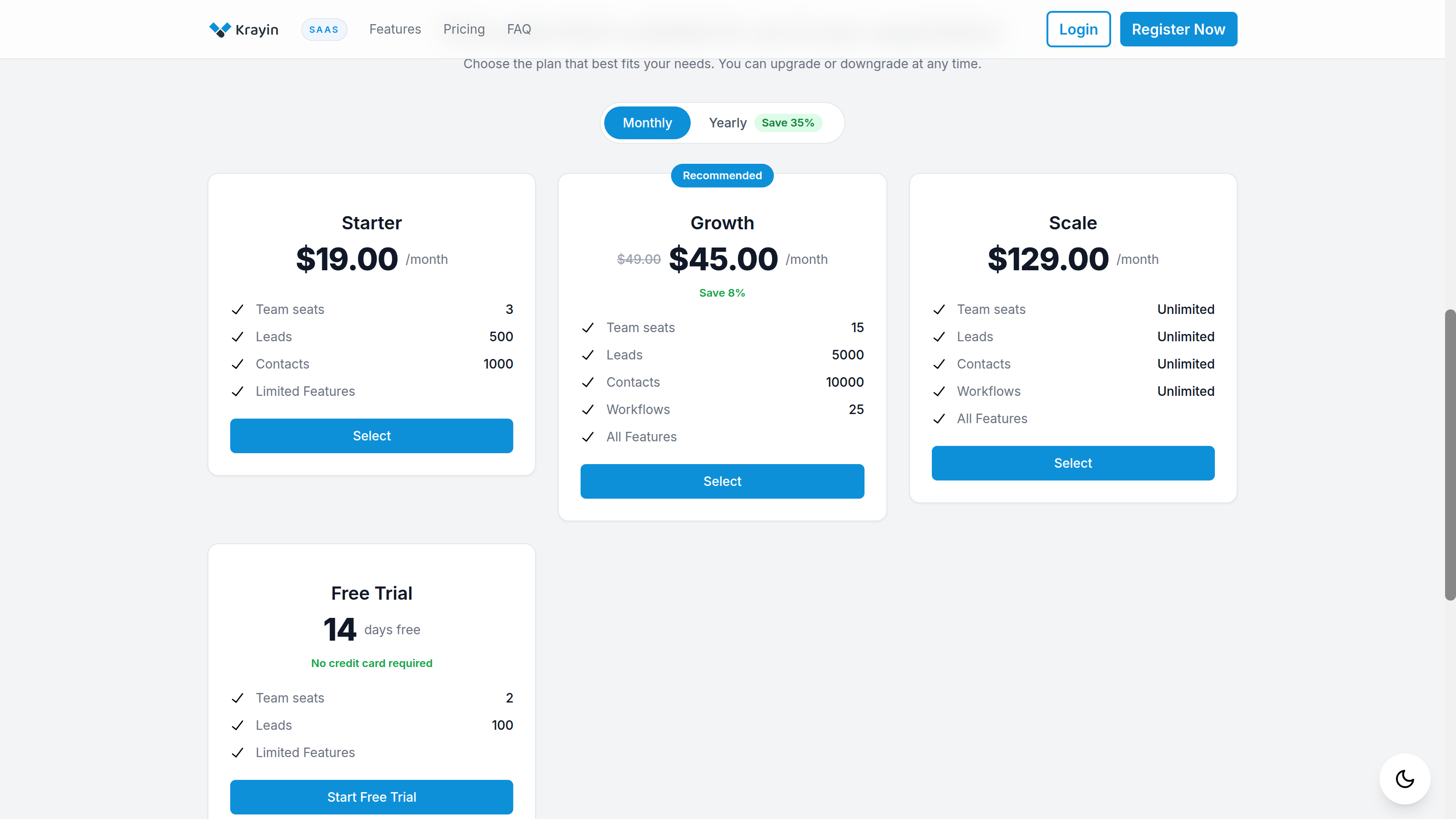
Each plan card shows its price and what you get — typically Team seats, Leads, Contacts and Workflows, with Unlimited where a plan lifts the cap. One plan may be marked Recommended.
- Monthly / Yearly — use the toggle at the top to switch the prices between billing every month and billing once a year. Yearly usually costs less overall, and the toggle shows how much you save.
- A plan showing a struck-through price has an offer — you pay the lower figure.
- The Free Trial card, if shown, lets you try the product for a set number of days with no card required. See Free Trials.
Select Select on the plan you want to start signing up, or Start Free Trial to begin a trial. New here? That leads into Registration.
Changing your plan later
You're not locked in. Inside your workspace, open Subscription → Plans to see every plan with your current one marked.
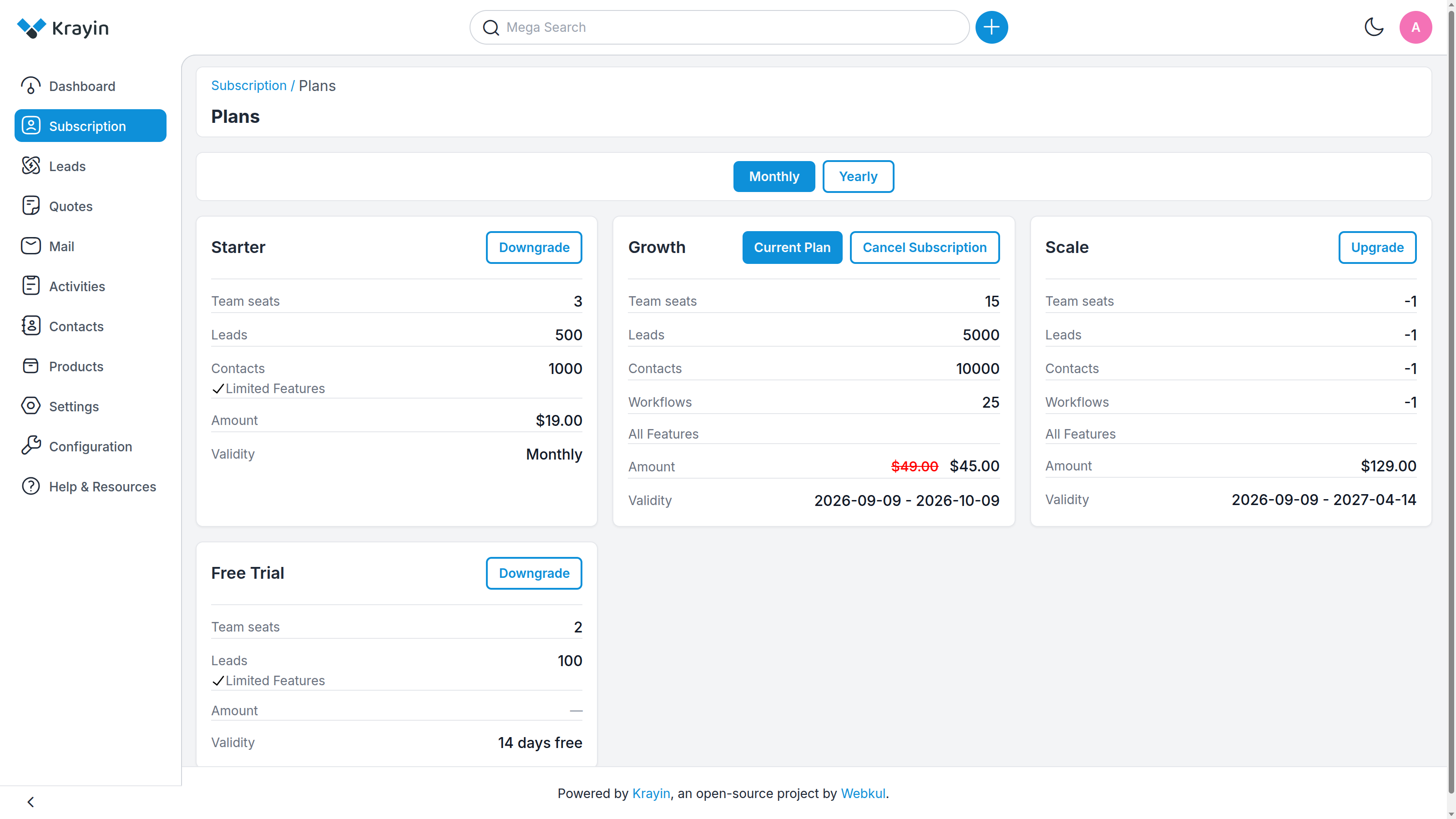
- Upgrade — move to a larger plan. Use this when you're bumping against your limits.
- Downgrade — move to a smaller plan.
- Cancel Subscription — end your current subscription (you'll be asked for a reason).
TIP
Limits shown as Unlimited (internally -1) mean there's no cap on that resource. A plan with a number — Leads: 5000 — caps you at that figure, after which you're prompted to move up.
Where to go next
- Sign up on the plan you picked → Registration
- See your invoices and manage billing → Billing & Invoices
- Try before you buy → Free Trials