

Invoices
Every payment a subscriber makes is recorded here as an invoice. This is the operator's billing ledger — one row per charge, across every tenant on the platform.
What you'll learn
- How to read the platform-wide invoice list
- What each invoice status means
- How to download an invoice as a PDF
Invoices vs. quotes
Don't confuse these with a tenant's own Quotes. A quote is a sales document a tenant sends their customer. An invoice here is what a tenant pays you for their subscription.
The invoice list
Open Subscription → Invoices.
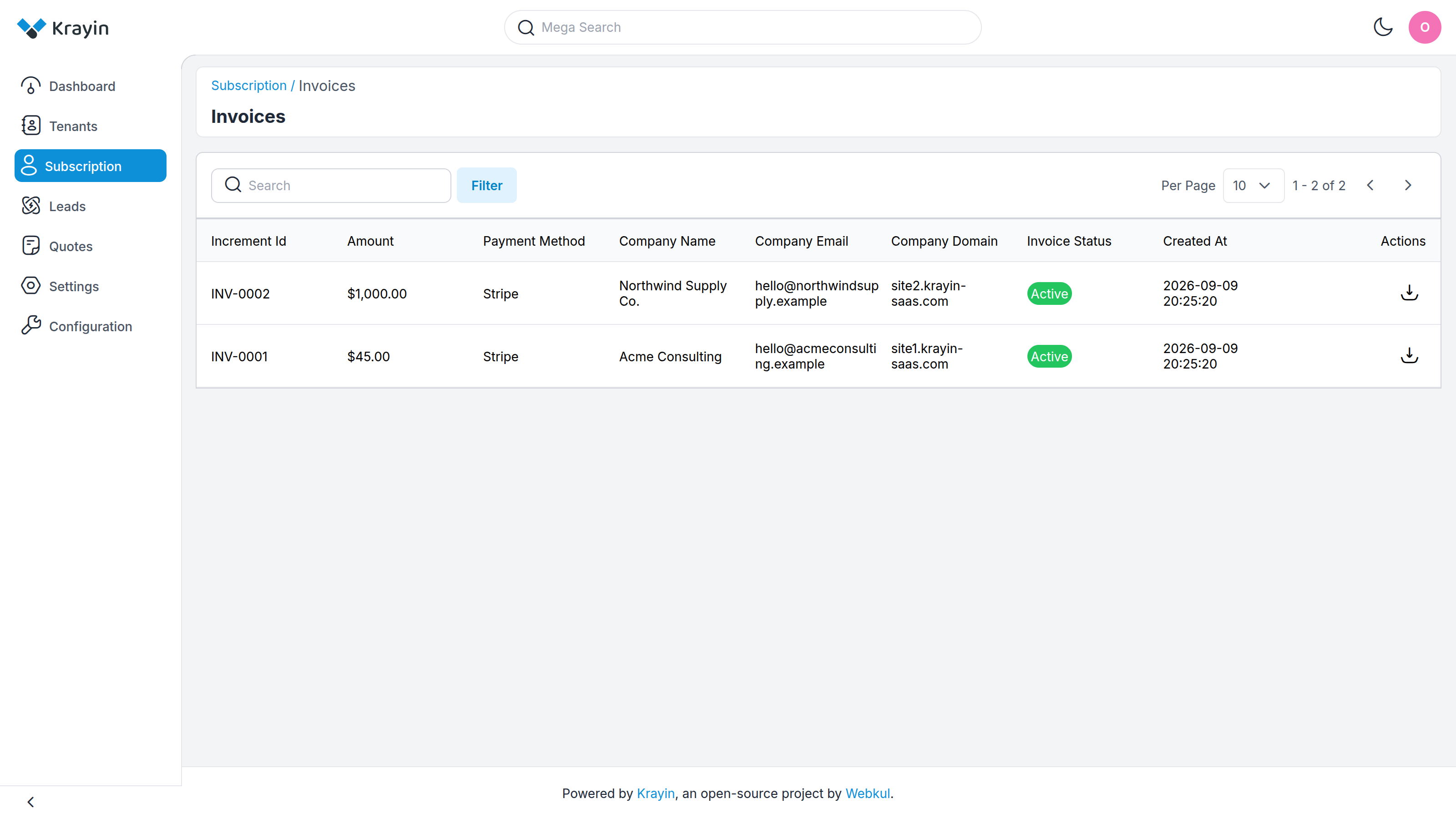
Each row shows:
- Increment Id — the invoice number, e.g.
INV-0001. - Amount — the total charged.
- Payment Method — how it was paid, e.g. Stripe.
- Company Name — the subscriber the invoice belongs to.
- Company Email — their account address.
- Company Domain — their CRM address.
- Invoice Status — Active for a settled invoice, InActive otherwise.
- Created At — when the invoice was raised.
Use Search to find an invoice by number or company, and Filter to narrow by status.
Downloading an invoice
The download icon in the Actions column generates a PDF of the invoice — Invoice_INV-0001_2026-09-09.pdf — with the tenant's company details, the plan, and the amount. Hand it to a tenant who needs it for their own bookkeeping, or keep it for your records.
TIP
A subscriber can also download their own invoices from inside their workspace, and you can re-send the latest one to them from the subscriber detail view.
Where invoices come from
An invoice is created automatically whenever a subscriber pays — on first purchase and again on every renewal. You don't raise invoices by hand; they follow the subscription. To change what a tenant is billed, edit the plan they're on, which takes effect at their next renewal.
Where to go next
- See who these invoices belong to → Subscribers
- Understand how billing looks from the tenant's side → Billing & Invoices
- Connect the payment gateway that settles them → Configuration