

Custom Domains
This page serves both audiences — a tenant who wants their CRM on their own domain, and the operator setting one up on a tenant's behalf.
By default a tenant's CRM lives on a subdomain of the platform — acme.yourplatform.com. A custom domain (a "CName") lets that same CRM answer on the tenant's own address instead, like crm.acmeconsulting.com.
What you'll learn
- What a custom domain is and when to use one
- The two things it takes to set one up
- Where to enter it, as a tenant or as the operator
What it is
A custom domain doesn't move or copy anything — it's a second front door to the same CRM. The tenant's data, users and settings are unchanged; only the address people type changes.
Setting one up has two halves, and both are required:
- Point the domain at the platform. In the domain's DNS, add a CNAME record for the hostname (e.g.
crm) that points at the platform. This is done with the tenant's domain registrar or DNS provider — not inside Krayin. - Tell Krayin the domain. Enter the same hostname in the tenant's CName field so the platform knows to serve that tenant when the domain is requested.
If either half is missing, the custom domain won't load.
Entering the domain
Wherever it appears, the CName field is the same. It takes a bare hostname — crm.acmeconsulting.com — with no http:// and no trailing path.
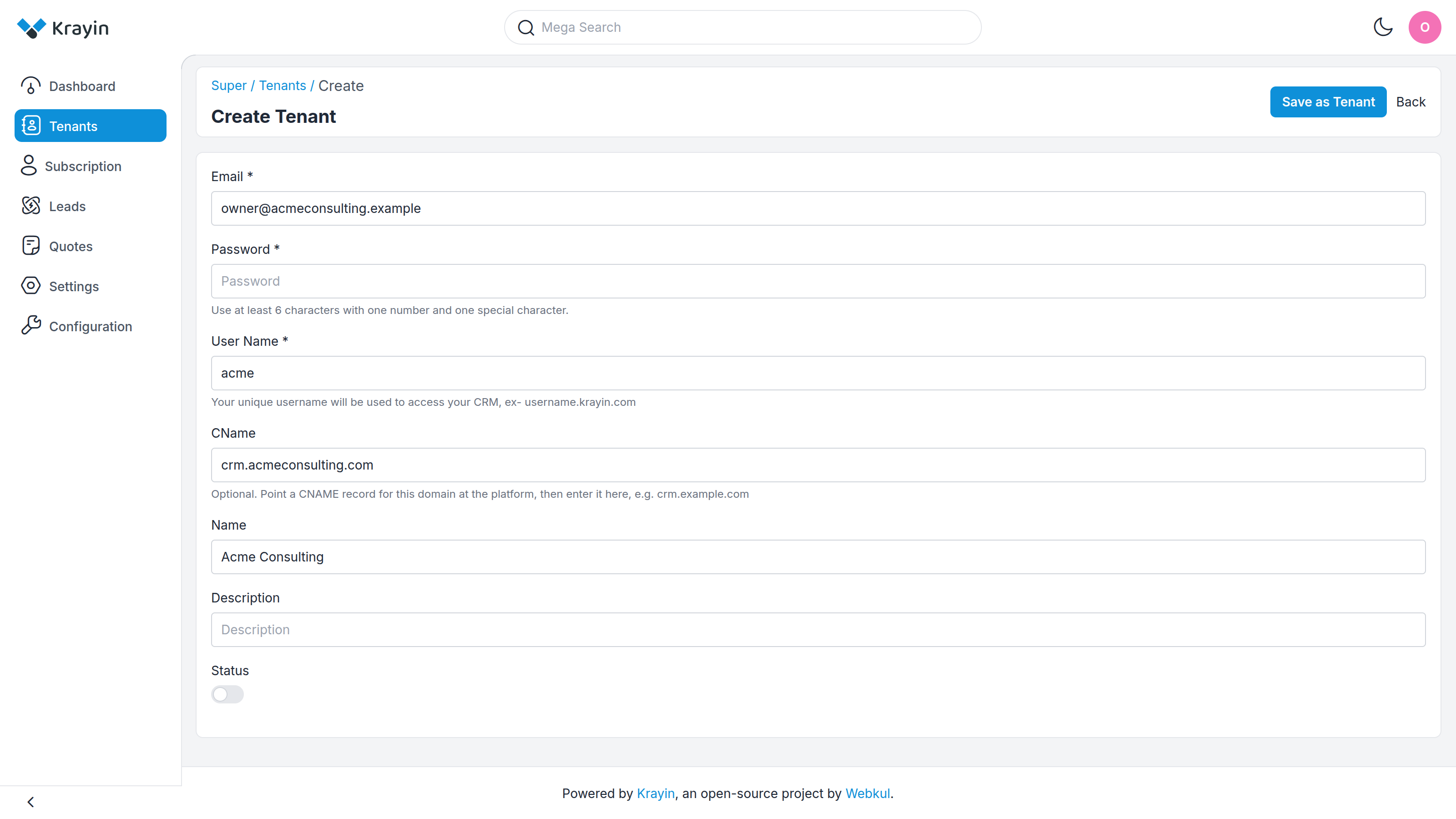
The field's hint says it plainly: "Optional. Point a CNAME record for this domain at the platform, then enter it here, e.g. crm.example.com." Two rules are enforced when you save:
- It must be a valid bare domain. A bad value is rejected with "Enter a valid domain such as crm.example.com, without http:// or a trailing path."
- Each domain belongs to only one tenant. Reusing one already taken is rejected with "This domain is already assigned to another tenant."
As a tenant
You can set your CName during registration, in Step 1 — Organization Details. Leave it blank if you're happy on your platform subdomain — you can always ask your platform operator to add or change it later.
As the operator
On the tenant's create or edit form, fill in the CName field (shown above). It's the same field either way, so you can add a custom domain to an existing tenant at any time by editing them — see Tenant Management for the full form.
TIP
A tenant can always still reach their CRM on the original username.yourplatform.com subdomain, even after a custom domain is added. The custom domain is an addition, not a replacement.
WARNING
A custom domain only works once its DNS CNAME record has propagated. DNS changes can take anywhere from a few minutes to a few hours to take effect — if the domain doesn't load right away, that's the usual reason.
Where to go next
- The tenant form where the operator sets this → Tenant Management
- How addresses and tenancy work under the hood → Architecture
- Set your CName while signing up → Registration