

Billing & Invoices
This page is for a tenant — a business managing its own subscription and invoices.
Everything about what you pay lives under Subscription in your workspace: your current plan, the option to change it, and every invoice you've been charged.
What you'll learn
- Where to find your plan and billing
- How to change or cancel your subscription
- How to view and download your invoices
Your plan
Open Subscription → Plans in your workspace.
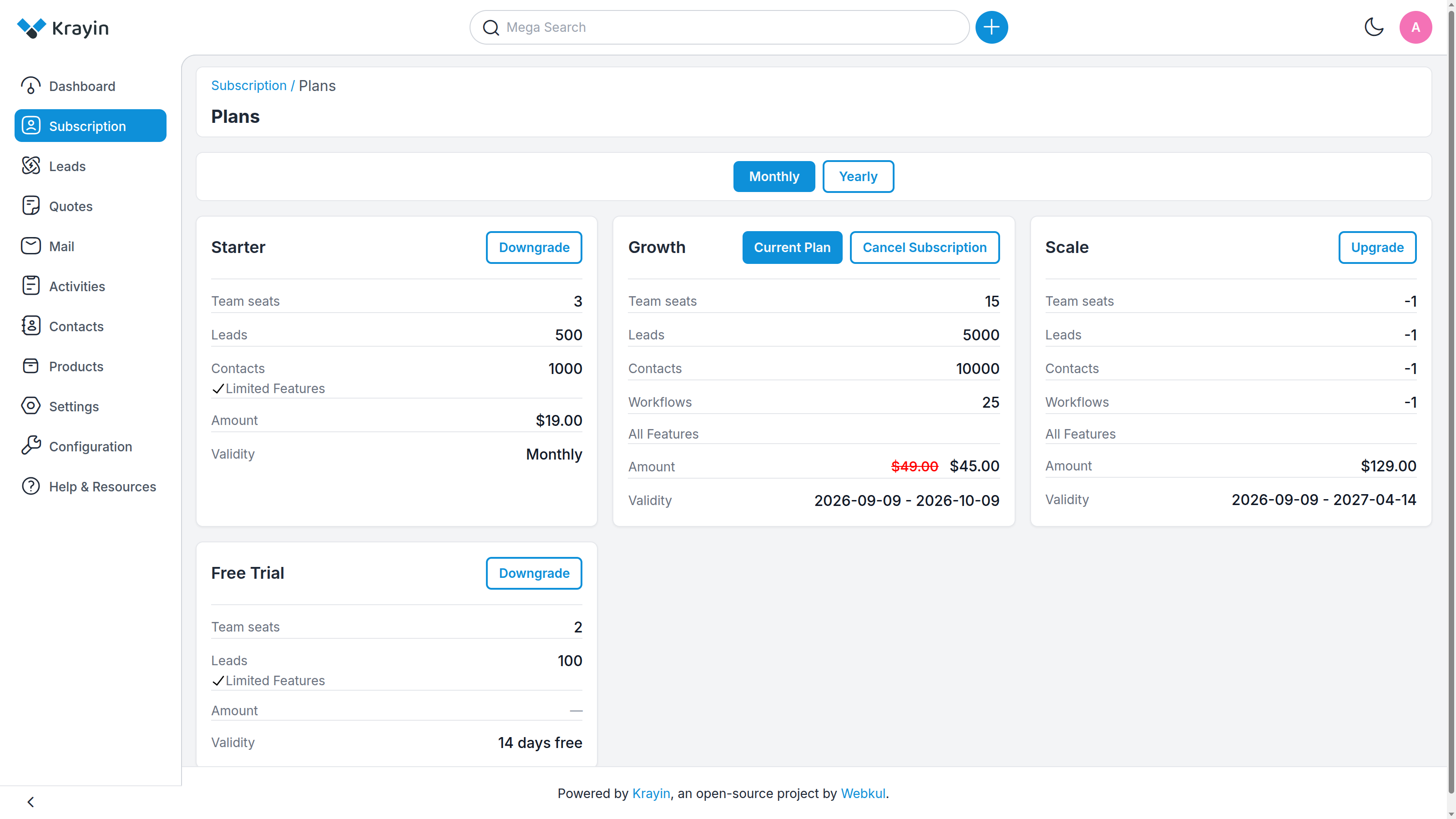
Your active plan is marked Current Plan, with its price and the validity dates of the current cycle — when it started and when it renews. The other plans show what you'd move to.
- Upgrade — switch to a larger plan for more capacity.
- Downgrade — switch to a smaller one.
- Cancel Subscription — stop your subscription. You'll be asked for a reason to confirm.
WARNING
Cancelling ends your paid subscription. Your CRM stays reachable until the current cycle you've already paid for runs out, after which you'll need to choose a plan again to keep using it.
Your invoices
Open Subscription → Invoices.
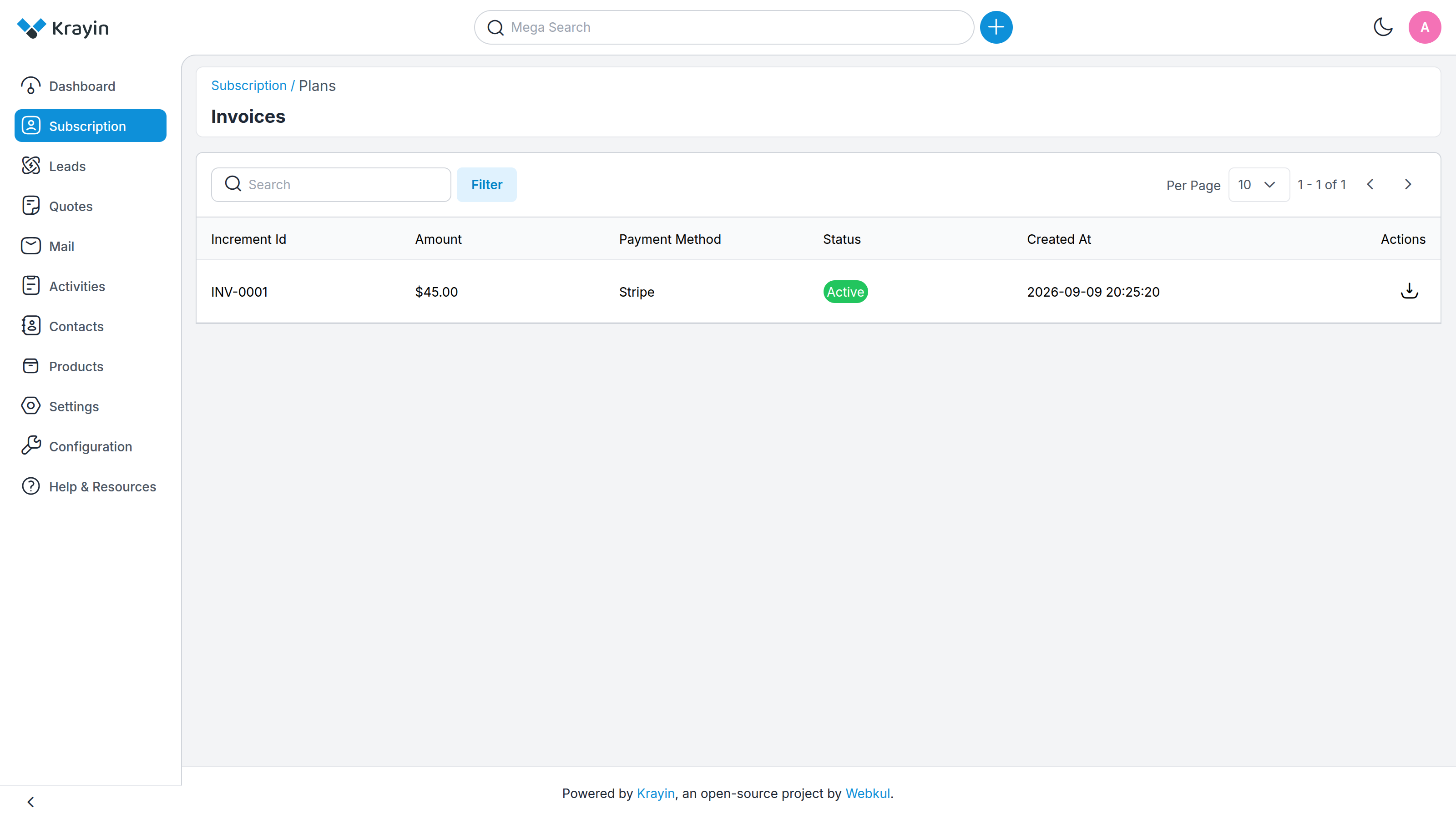
Every charge is listed with its Increment Id (invoice number), Amount, Payment Method, Status and date. You see only your own invoices — no one else's.
The download icon in the Actions column saves the invoice as a PDF, ready for your own bookkeeping.
TIP
These are the same invoices your platform operator sees on their side. If you're missing one, they can re-send it to you — just ask.
Where to go next
- Compare plans before you change → Choosing a Plan
- Understand what your plan's limits mean → The Tenant Workspace
- Move your CRM to your own domain → Custom Domains