

Subscribers
Once a tenant is on a paid plan, they become a subscriber. This screen is the operator's view of everyone currently paying — who is on which plan, when their cycle renews, and whether they've lapsed.
What you'll learn
- How to read the subscriber list
- What a subscriber's detail view shows
- How to re-send an invoice to a subscriber
The subscriber list
Open Subscription → Subscribers.
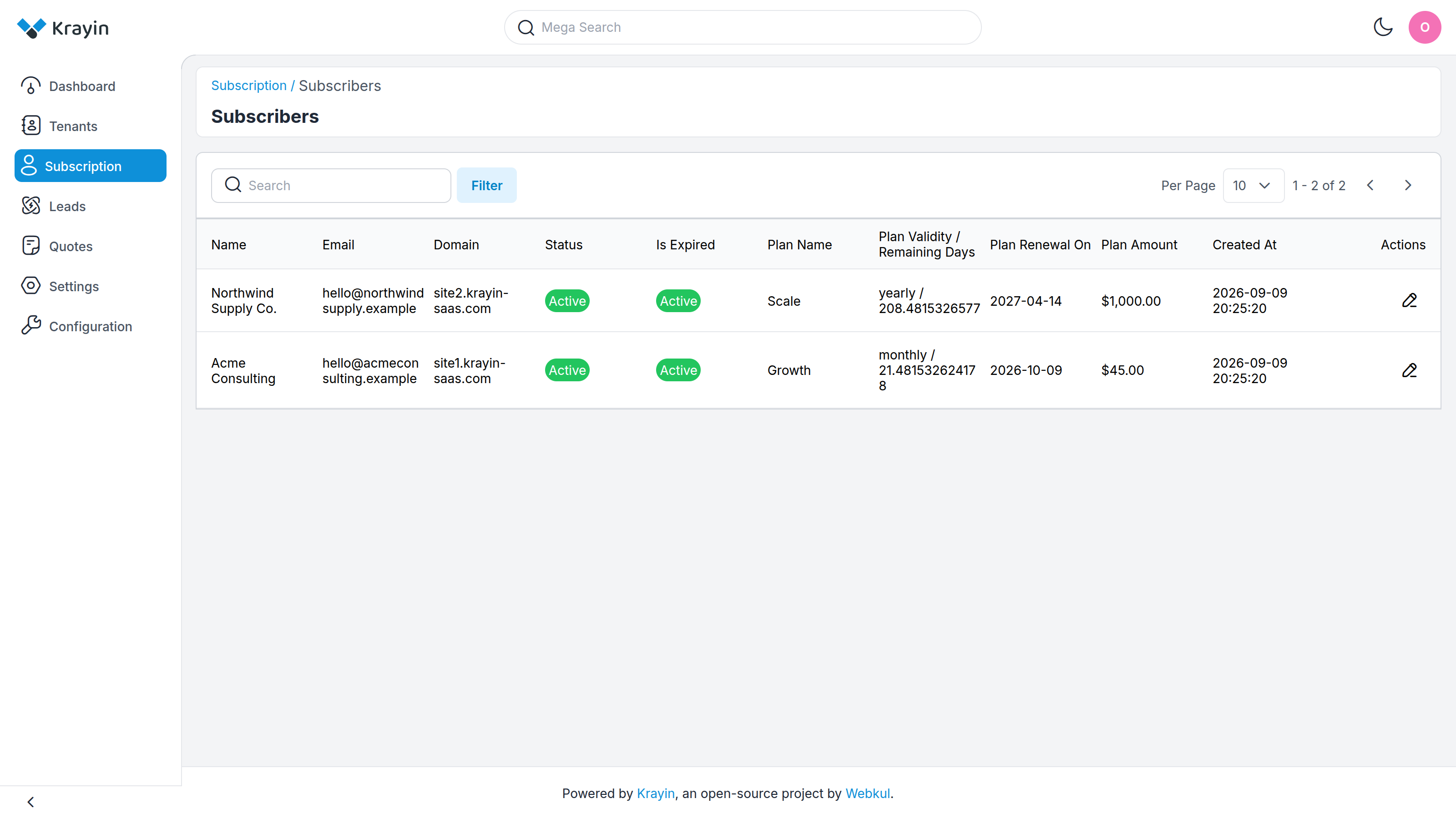
Each row is one tenant on a paid plan:
- Name — the subscribing company.
- Email — the account address.
- Domain — the tenant's CRM address.
- Status — Active or Inactive, mirroring whether the tenant account itself is enabled.
- Is Expired — flags a subscriber whose billing cycle has run out.
- Plan Name — the plan they're on.
- Plan Validity / Remaining Days — the billing cycle (monthly or yearly) followed by how many days are left before it renews.
- Plan Renewal On — the date the current cycle ends and the next payment is due.
- Plan Amount — what they pay for the cycle.
- Created At — when the subscription started.
Use Search to find a subscriber by name or email, and Filter to narrow by status.
TIP
Only paid subscriptions appear here. Tenants still on a free trial are not subscribers yet — they show up once they choose and pay for a plan. See Free Trials.
A subscriber's detail view
Select a row to open the subscriber's detail view.
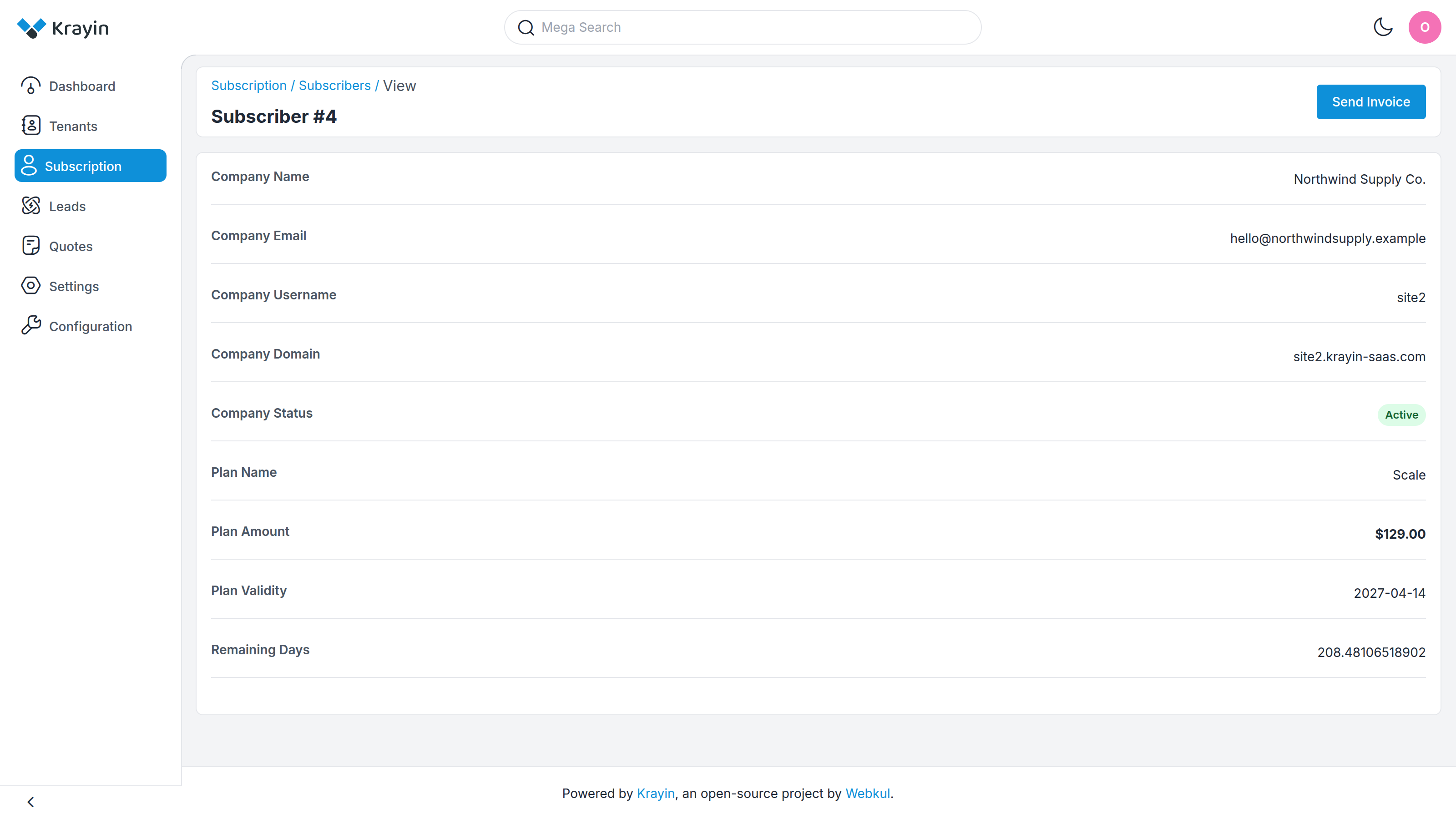
It restates the company's details — Company Name, Email, Username, Domain and Status — alongside the subscription itself: the Plan Name, Plan Amount, Plan Validity (the renewal date) and Remaining Days in the current cycle.
Re-sending an invoice
The Send Invoice button at the top of the detail view e-mails the subscriber their most recent active invoice again — useful if the tenant misplaced it or asks for a copy for their records.
TIP
This sends the existing invoice for the current cycle; it does not charge the tenant again or create a new invoice. Every invoice ever raised is listed on Invoices.
Where to go next
- Browse the invoices behind these subscriptions → Invoices
- See how a tenant picks a plan in the first place → Choosing a Plan
- Build or adjust the plans they subscribe to → Plan Management